Data analysis/en: Difference between revisions
Updating to match new version of source page |
Updating to match new version of source page |
||
| Line 14: | Line 14: | ||
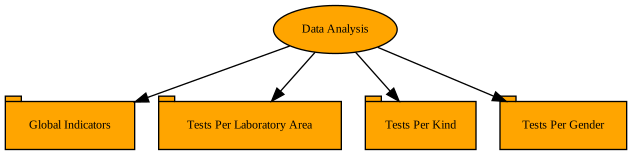
TestsPerLaboratoryArea [label="Tests Per Laboratory Area" shape=tab URL="#Tests_per_laboratory_area"]; | TestsPerLaboratoryArea [label="Tests Per Laboratory Area" shape=tab URL="#Tests_per_laboratory_area"]; | ||
TestsPerKind [label="Tests Per Kind" shape=tab URL="#Tests_per_kind"]; | TestsPerKind [label="Tests Per Kind" shape=tab URL="#Tests_per_kind"]; | ||
TestsPerGender [label="Tests Per Gender" shape=tab URL="#Tests_per_gender"]; | |||
// Edges | // Edges | ||
DataAnalysis -> GlobalIndicators; | DataAnalysis -> GlobalIndicators; | ||
DataAnalysis -> TestsPerLaboratoryArea; | DataAnalysis -> TestsPerLaboratoryArea; | ||
DataAnalysis -> TestsPerKind; | DataAnalysis -> TestsPerKind; | ||
DataAnalysis -> TestsPerGender; | |||
} | } | ||
</graphviz> | </graphviz> | ||
| Line 44: | Line 46: | ||
===Tests per laboratory area=== | ===Tests per laboratory area=== | ||
This tab groups together all | This tab groups together all the tests that belong to each laboratory area and shows the laboratory supervisor the number of each one.</br> | ||
At the bottom left of this tab, there is a download button. When clicked, this button will download every piece of information found in the screen | At the bottom left of this tab, there is a download button. When clicked, this button will download every piece of information found in the screen into the laboratory supervisor's computer. | ||
===Tests per kind=== | ===Tests per kind=== | ||
This tab groups together all | This tab groups together all the kinds of tests and shows the laboratory supervisor the number of each one. It also informs the laboratory supervisor as to which laboratory area each kind of test belongs to.</br> | ||
At the bottom left of this tab, there is a download button. When clicked, this button will download every piece of information found in the screen | At the bottom left of this tab, there is a download button. When clicked, this button will download every piece of information found in the screen into the laboratory supervisor's computer. | ||
===Tests per gender=== | ===Tests per gender=== | ||
This tab groups together all | This tab groups together all the tests that belong to each gender and shows the laboratory supervisor the number of each one.</br> | ||
At the bottom left of this tab, there is a download button. When clicked, this button will download every piece of information found in the screen | At the bottom left of this tab, there is a download button. When clicked, this button will download every piece of information found in the screen into the laboratory supervisor's computer. | ||
Revision as of 21:08, 14 November 2024
This provides a very basic analytical functionality based on counters. It basically allows the laboratory supervisor to keep track of the number of tests performed (potentially grouped) and some basic elements related to the requests.
Database queries

This form contains a filter at the top of the screen, which allows the laboratory supervisor to choose the parameter for the database search. There are nine filter fields available, at most (only those being used in the existing requests are shown).
- From (request's creation date): the data taken will only contain requests created after this date.
- Until (request's creation date): the data taken will only contain requests created before this date.
- Test request state
- Laboratory area
- Requesting centre
- Requesting unit
- Patient's gender
- Patient's provenance region
- Patient's provenance location
Not all filters are always visible. If the ARIS database does not contain values for a specific element, the filter for this element will not be shown to the laboratory supervisor.
Global indicators
This tab contains a table with counters, which shows the laboratory supervisor the number of certain elements that are in the ARIS database.
Tests per laboratory area
This tab groups together all the tests that belong to each laboratory area and shows the laboratory supervisor the number of each one.
At the bottom left of this tab, there is a download button. When clicked, this button will download every piece of information found in the screen into the laboratory supervisor's computer.
Tests per kind
This tab groups together all the kinds of tests and shows the laboratory supervisor the number of each one. It also informs the laboratory supervisor as to which laboratory area each kind of test belongs to.
At the bottom left of this tab, there is a download button. When clicked, this button will download every piece of information found in the screen into the laboratory supervisor's computer.
Tests per gender
This tab groups together all the tests that belong to each gender and shows the laboratory supervisor the number of each one.
At the bottom left of this tab, there is a download button. When clicked, this button will download every piece of information found in the screen into the laboratory supervisor's computer.